
This article will show you how to log your student into Discovery Tech in using the QR Code.
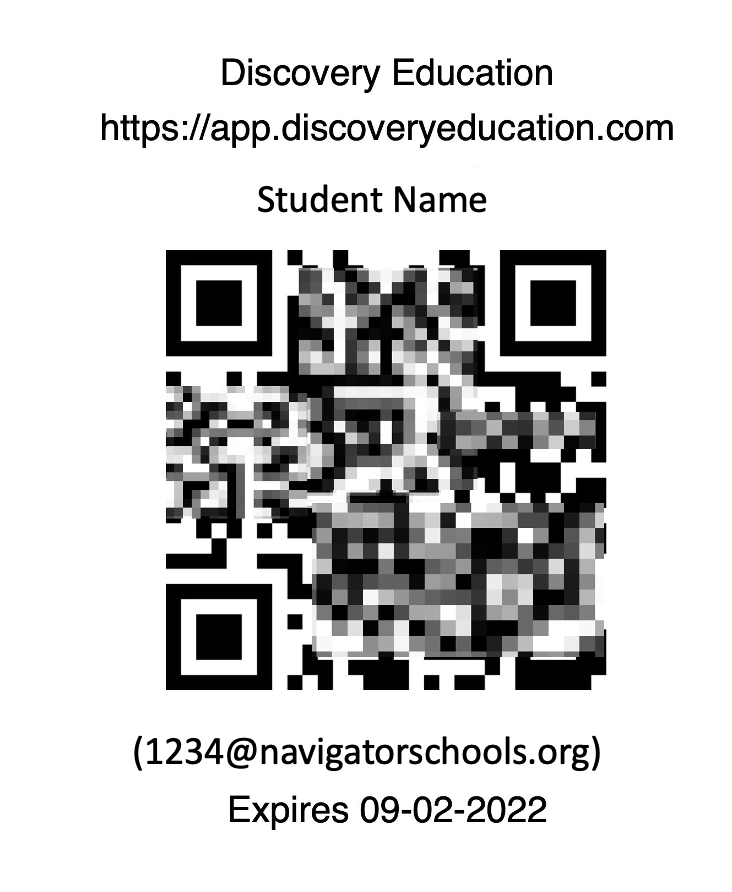
Step 1: Print out students QR Code
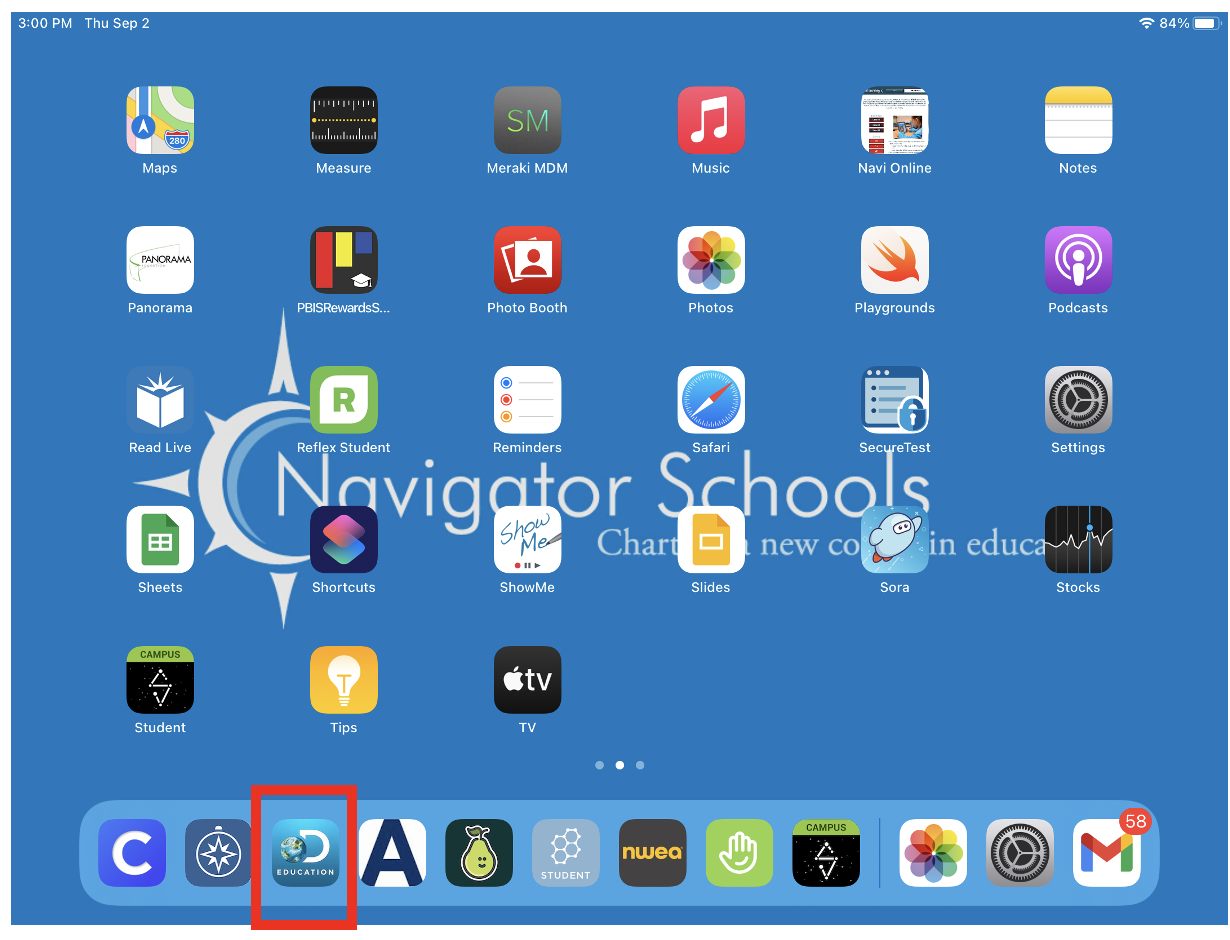
Step 2: Student clicks on Discovery Education in Dock
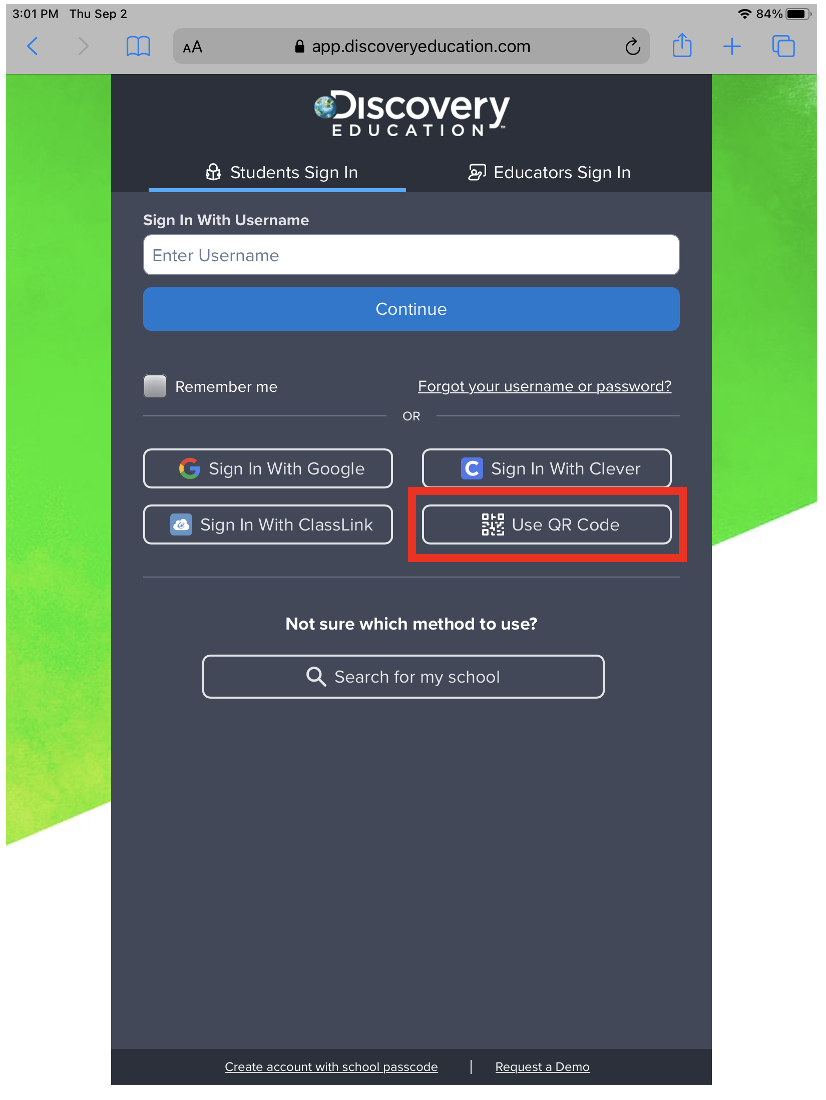
Step 3: On login page, have your student click on Use QR Code
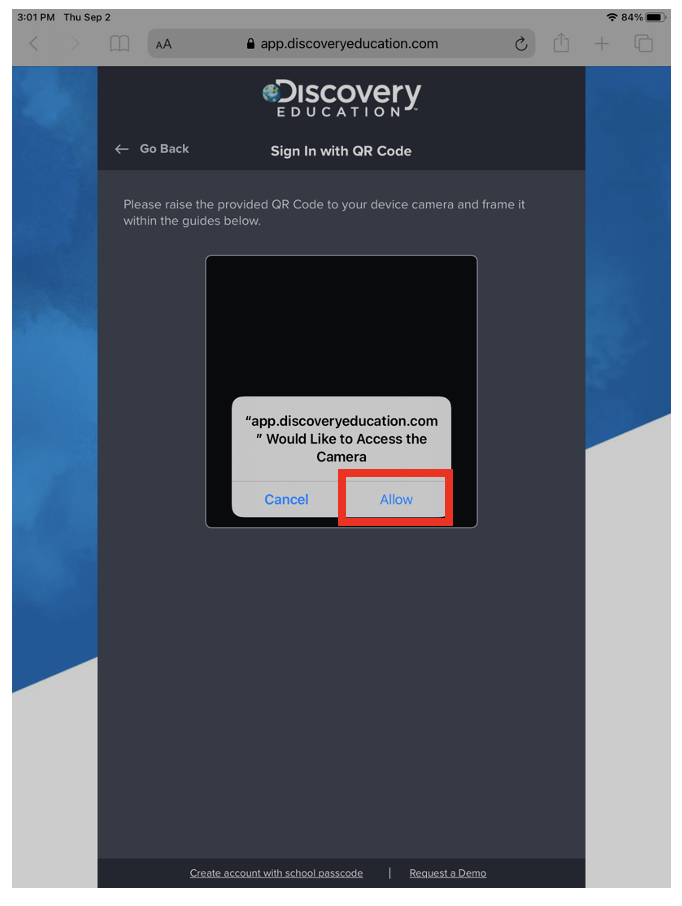
Step 4: Students will click “Allow” to allow Discovery education to use the camera
Step 5: Student will Scan QR Code
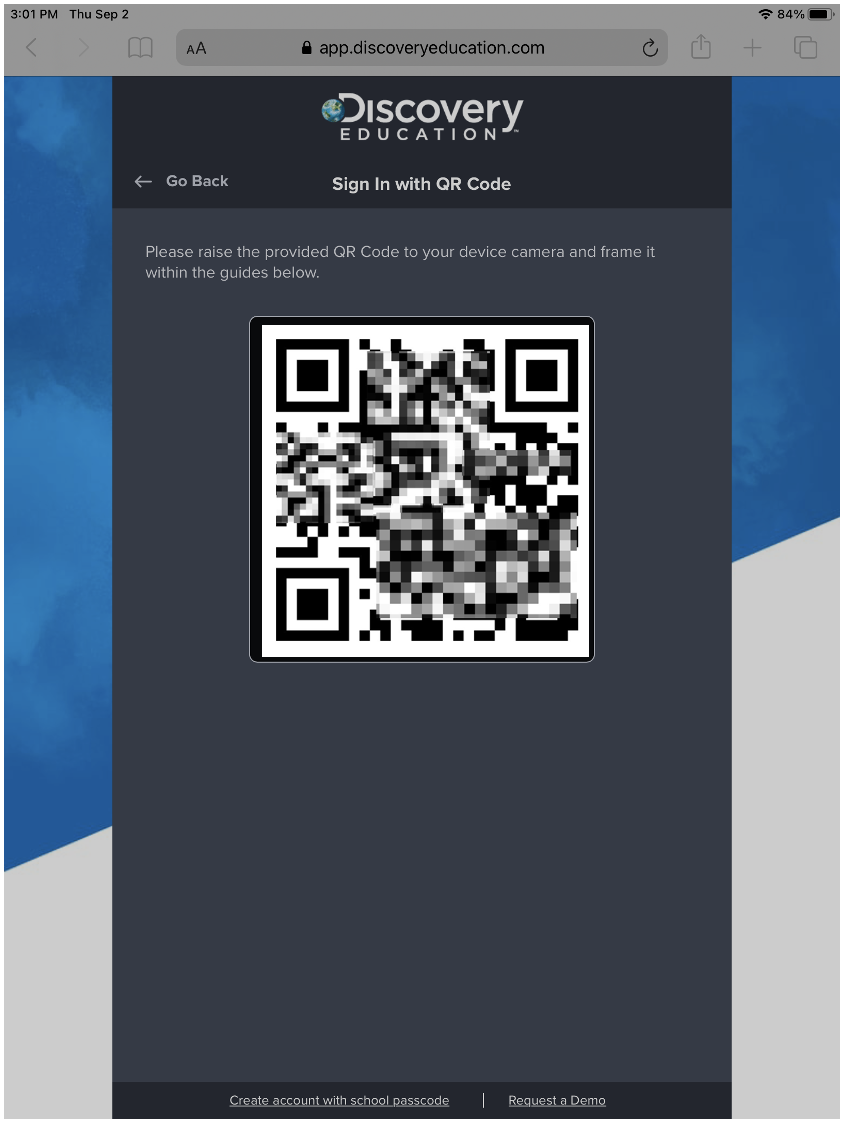
Step 6: Students will be brought to a page that looks like this
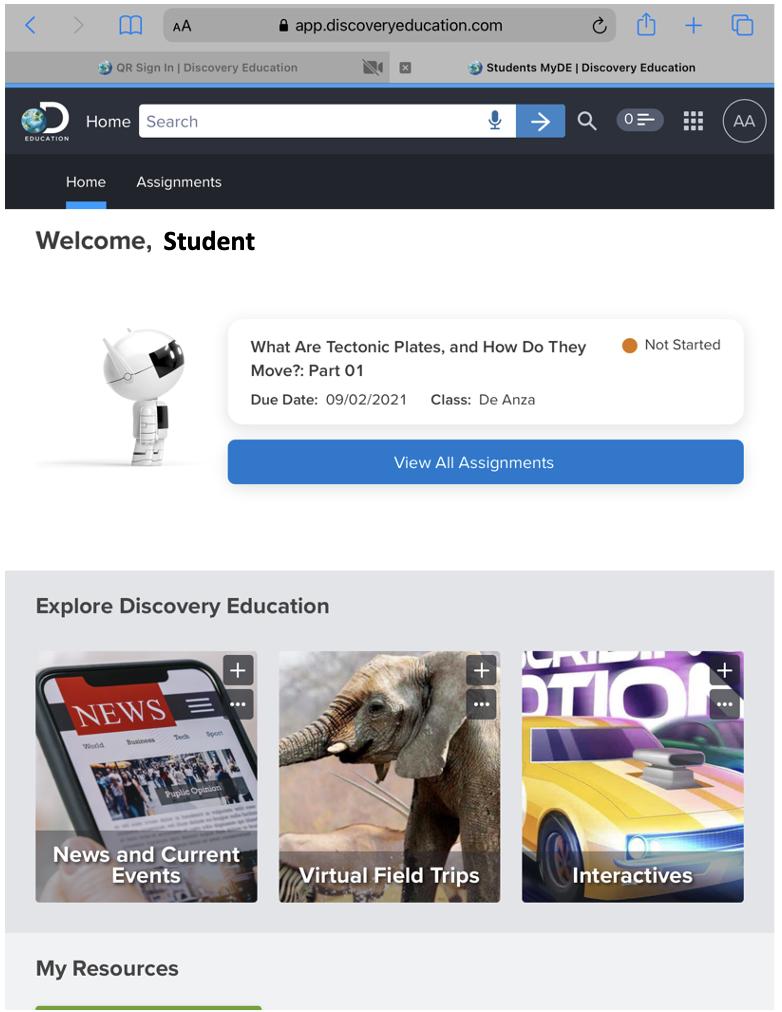
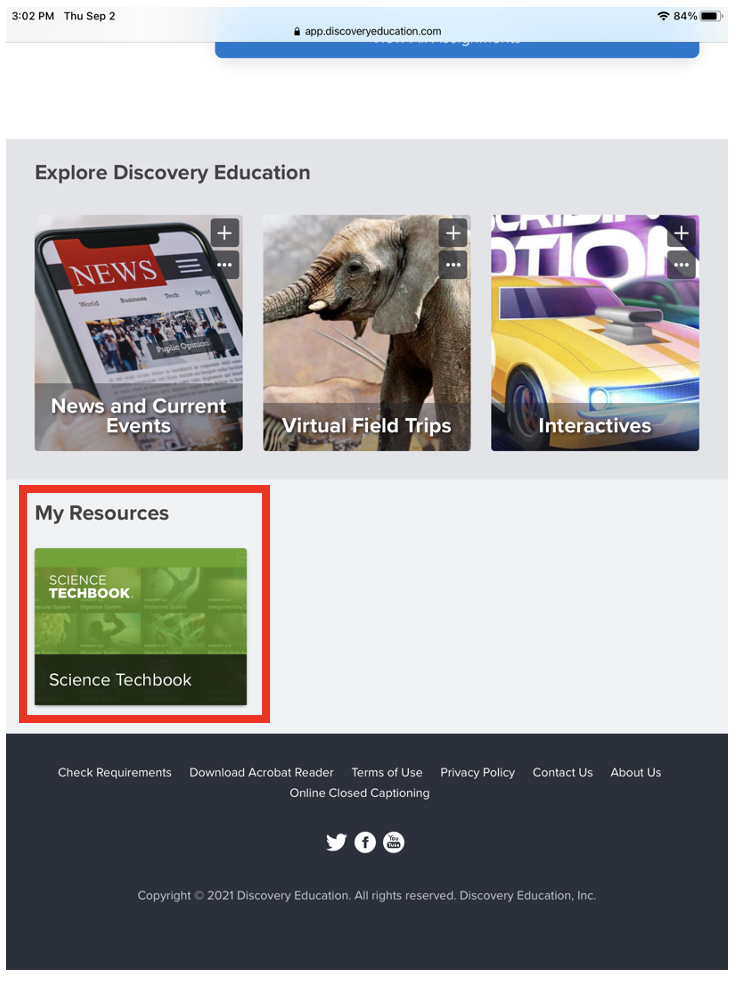
Step 7: Have the students scroll down the page to My Resources and click on the Science Tech Book
Step 8: Once you are taken to the tech book, have your student select the science for your grade, under the Course on the top of the page.
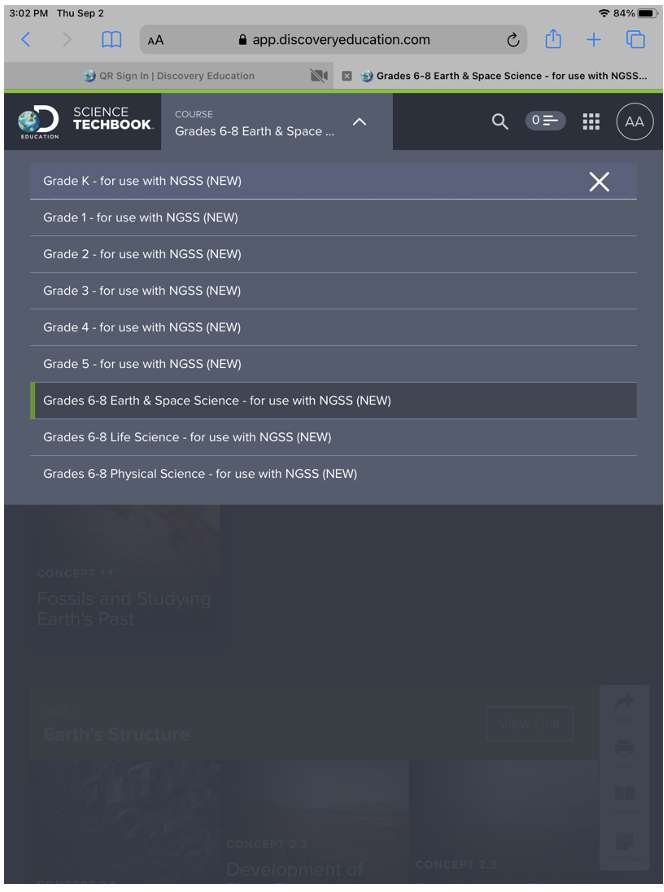
Step 9: Students will be directed to the selected science book
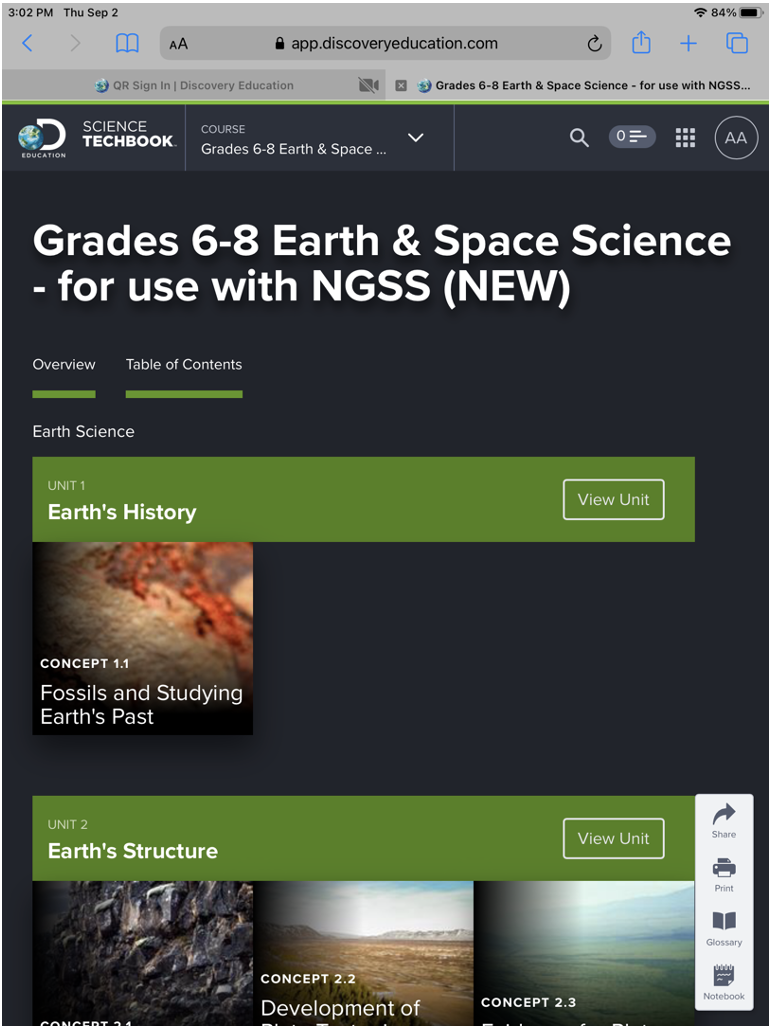
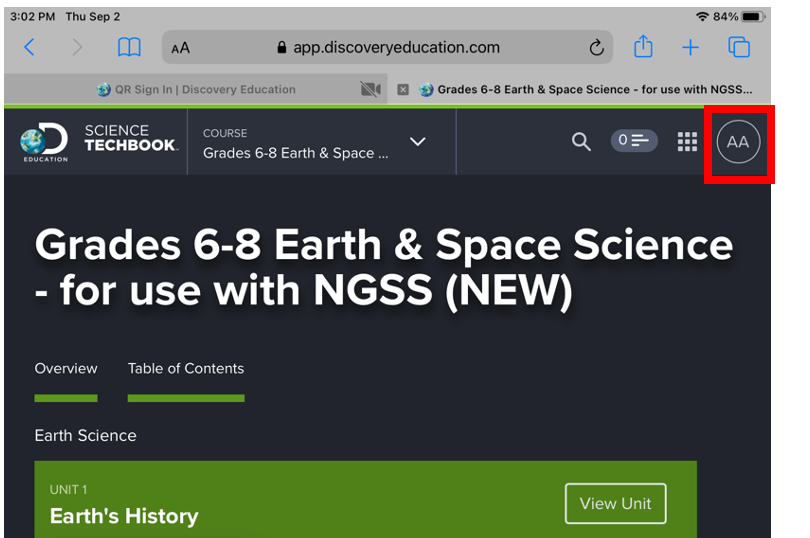
Step 10: To log out hit the circle with your initial on the top right-hand side, then hit log out
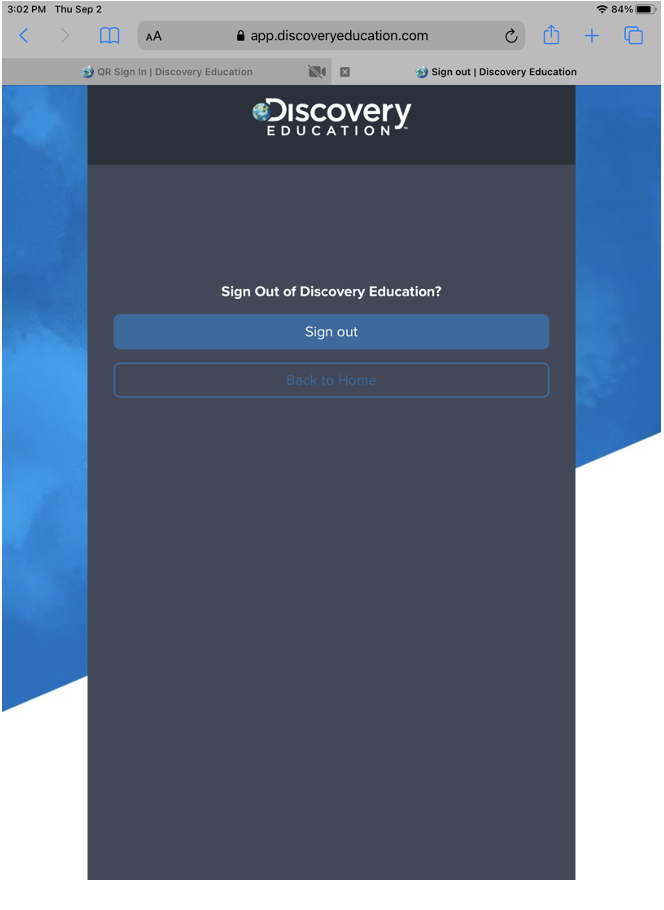
Step 11: You will be taken to this window. Make sure you hit sign out, to completely sign you out of Discovery Education
Comments
0 comments
Please sign in to leave a comment.